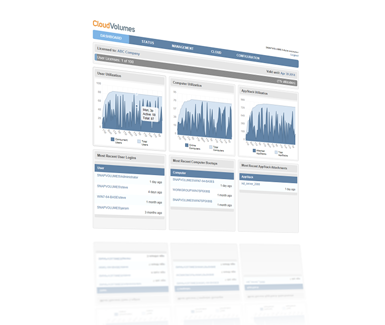
Persistent Desktops
Supporting full user personalization, are dynamically provisioned from non-persistent pools.
Learn more
CloudVolumes for Enterprise Desktop Services
Supporting DaaS, VDI, Microsoft RDS, and Citrix XenApp, the CloudVolumes’ Desktop solution provides a persistent desktop feel and performance including UIA/DIA and complete user personalization, while enjoying all the benefits of a pool of non-persistent desktop environment – such as storage and management savings. With fully installed applications available on-demand, users are able to practically manage themselves.
Complete Application Lifecycle Management
Manage entire application lifecycle from the initial installation, updates/upgrades, to seamless replacement. This simple, ease-to-use solution saves on storage, networking and compute costs while providing single point deployment and management for applications.
Full Desktop Experience with pools
Provides full, personalized, desktop experience requiring no changes to user behavior, or modification of applications or profiles. Yet, IT enjoys the costs savings of pooled VMs. You enjoy a persistent desktop experience with a non-persistent desktop pool.
Branch office desktops
Centrally managed, single copies of applications can be pushed out for use at remote branch offices. Within the branch office, only one copy of the application is used across all desktops making administration and updating far easier.
Support for VDI brokers
All popular VDI brokers including Citrix XenDesktop, VMware View, Dell vWorkspace including all desktop and pool types.
Single Image Management
For Applications, Data, and Settings that comprise a workload a single copy of an application can be used while keeping the data and settings specific to a VM or user. There is also the option for having a single copy of the entire workload used across multiple VMs
Advanced Application Provisioning
There is no packaging, no modification and no streaming required when applications are provisioned using CloudVolumes. They are immediately made available dynamically, upon login or at boot.
Other Features
- Scale Tested to over 10,000 VMs
- 300+ Applications/Workloads Tested including Enterprise server and User Workloads
- Web-based User Interface
- Storage optimized separation of OS, Apps and Data – through the use of a shared single copy of an app, SSD can now be used by all VMs
Supports Popular Hypervisor/Cloud Technologies
Available Now: VMware ESX 5.0, 5.1, Coming soon… HyperV, Azure, Amazon EC2